
How to Redeem Your Blinkit Gift Card
Blinkit Gift Cards provide a convenient and flexible way to shop for all your daily essentials, from groceries and snacks to household items and personal care products. Ideal for busy individuals and families, these gift cards make quick online shopping hassle-free, while offering exclusive deals and discounts. Whether you're picking up fresh produce, stocking your pantry, or grabbing everyday items, Blinkit ensures you get what you need with ease and convenience.
Here’s a quick guide to help you redeem your Blinkit Gift Card using the app.
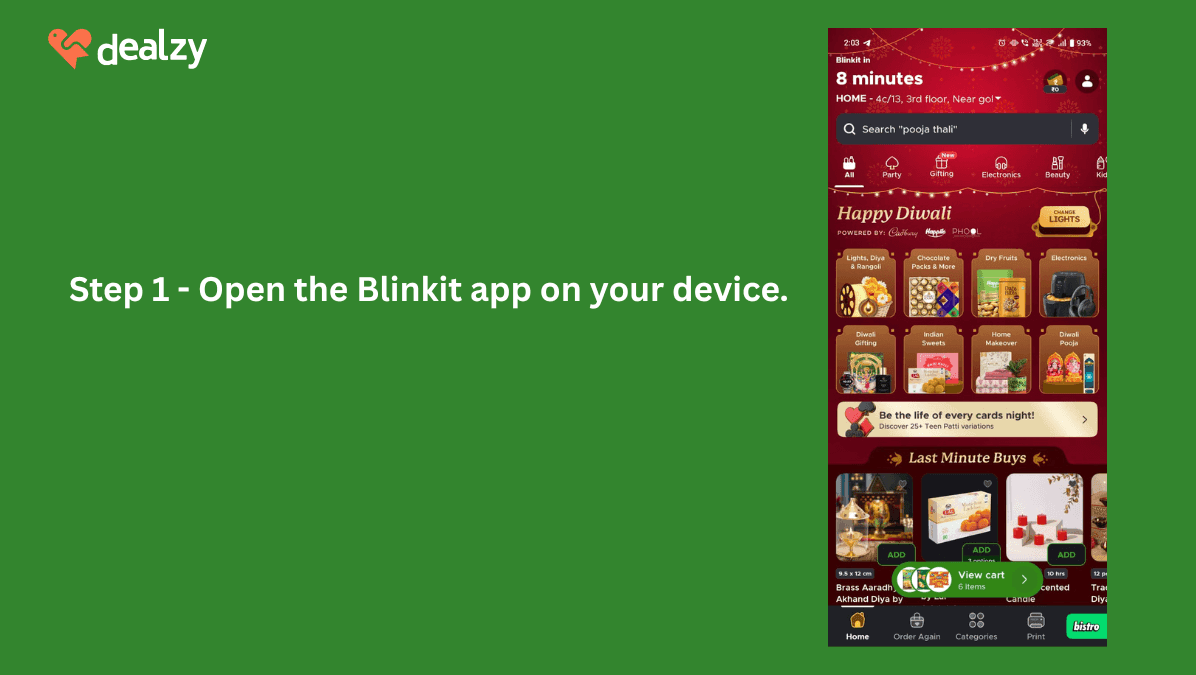
- Open the Blinkit app on your device.
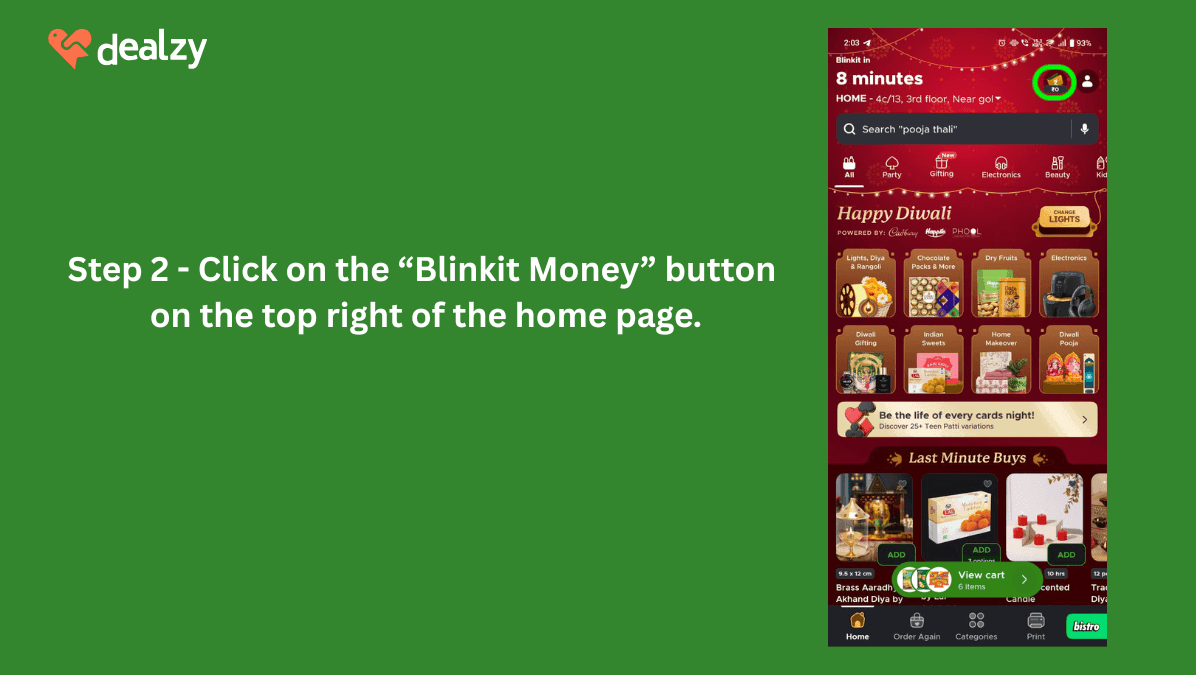
- Click on the “Blinkit Money” button on the top right of the home page.
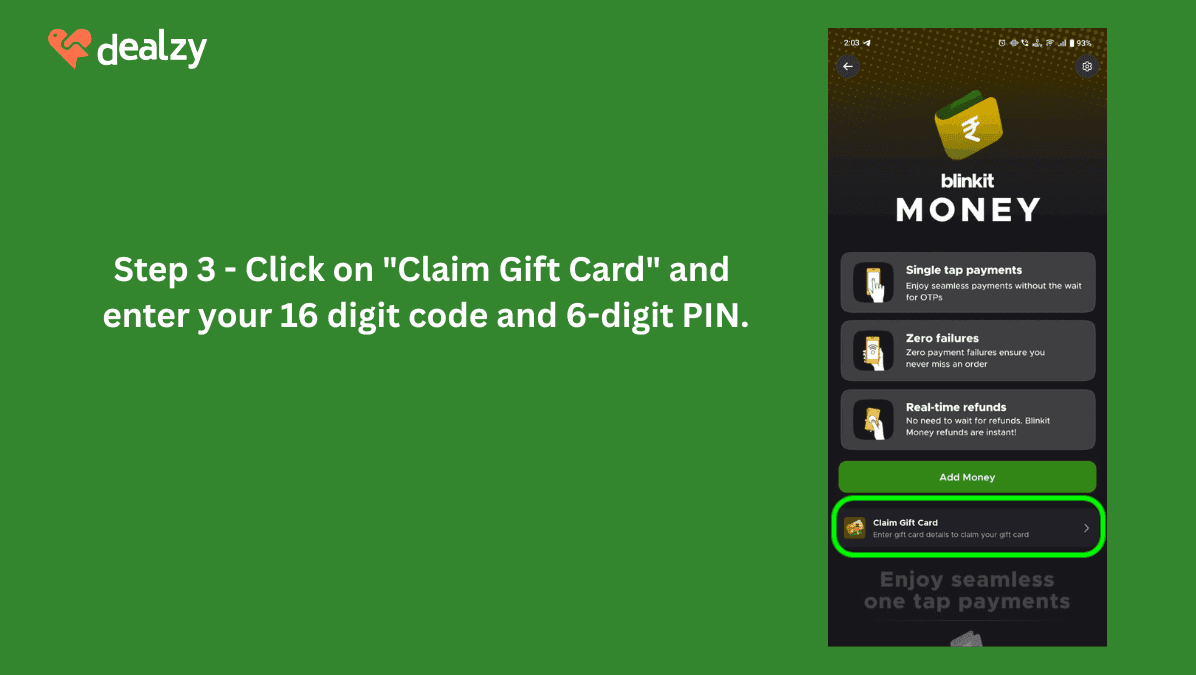
- Click on "Claim Gift Card" and enter your 16 digit alphanumeric code and 6-digit PIN.
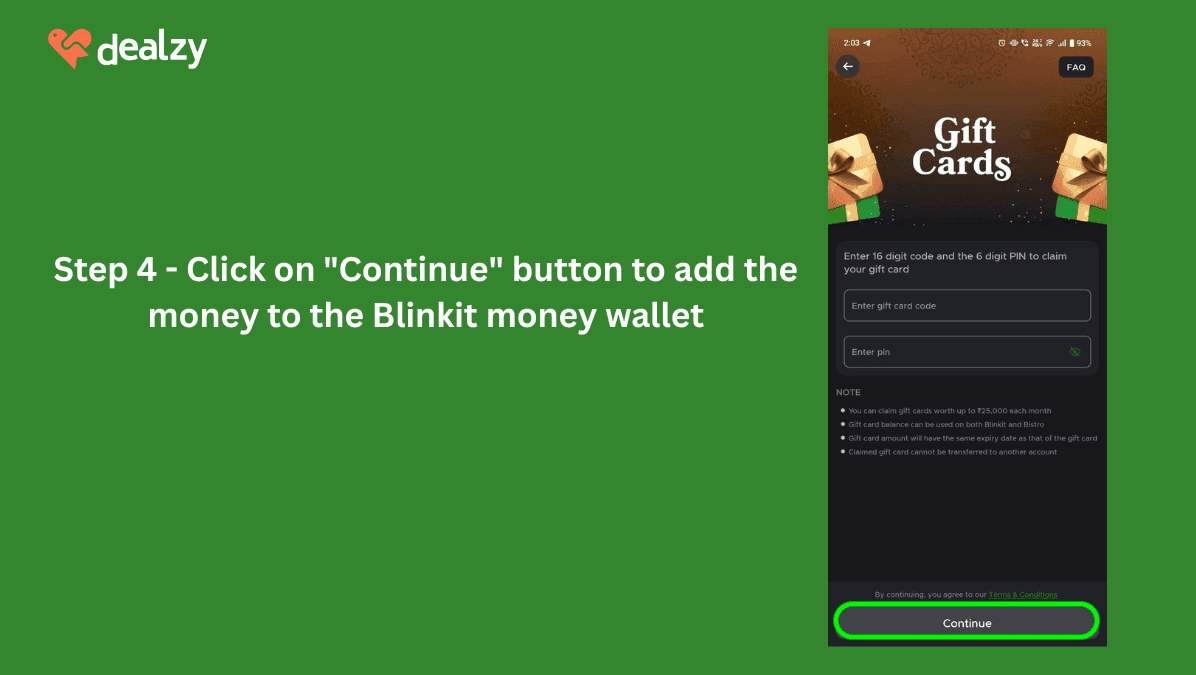
- Click on "Continue" button to add the money to the Blinkit money wallet
Save more with Dealzy
To make the most of your Blinkit experience, purchase a Blinkit Gift Card at a 3% discount on Dealzy. It's not only on Blinkit. Dealzy offers savings on 200+ brands, including Dominos, PVR, and Zomato, helping you save more on a wide range of purchases.
Frequently Asked Questions
Q1: Can I top-up my Blinkit Gift Card?
A: No, Blinkit Gift Cards cannot be topped up once the balance is used.
Q2: Do Blinkit Gift Cards expire?
A: Yes, Blinkit Gift Cards expire 12 months from the date of issue. After expiration, the balance cannot be used or refunded.
Q3: Can I use multiple Blinkit Gift Cards for one transaction?
A: No, only one Blinkit Gift Card can be used per transaction.
Q4: Can I cancel or get a refund for my Blinkit coupon after purchase?
A: No, once purchased, Blinkit coupons cannot be canceled or refunded. Please ensure your decision is final before completing your transaction.





All Rights reserved
Location
5 Floor, Smiline Dental Hospitals, HITEC City, Hyderabad, Telangana 500081Quick Links
All Rights reserved